ESPHome: The Open-Source Smart Home Firmware Revolution and Your First Steps
Introduction
In the ever-evolving world of smart home technology, a new champion has quietly emerged: ESPHome. This free and open-source framework is transforming how hobbyists and professionals alike build connected devices. If you've heard whispers about ESPHome but aren't sure what it is or why everyone seems to be switching to it, you're in the right place. This article will break down exactly what ESPHome offers, why it has become a favorite among the smart home community, and how you can start using it today—without needing to write a single line of traditional code.
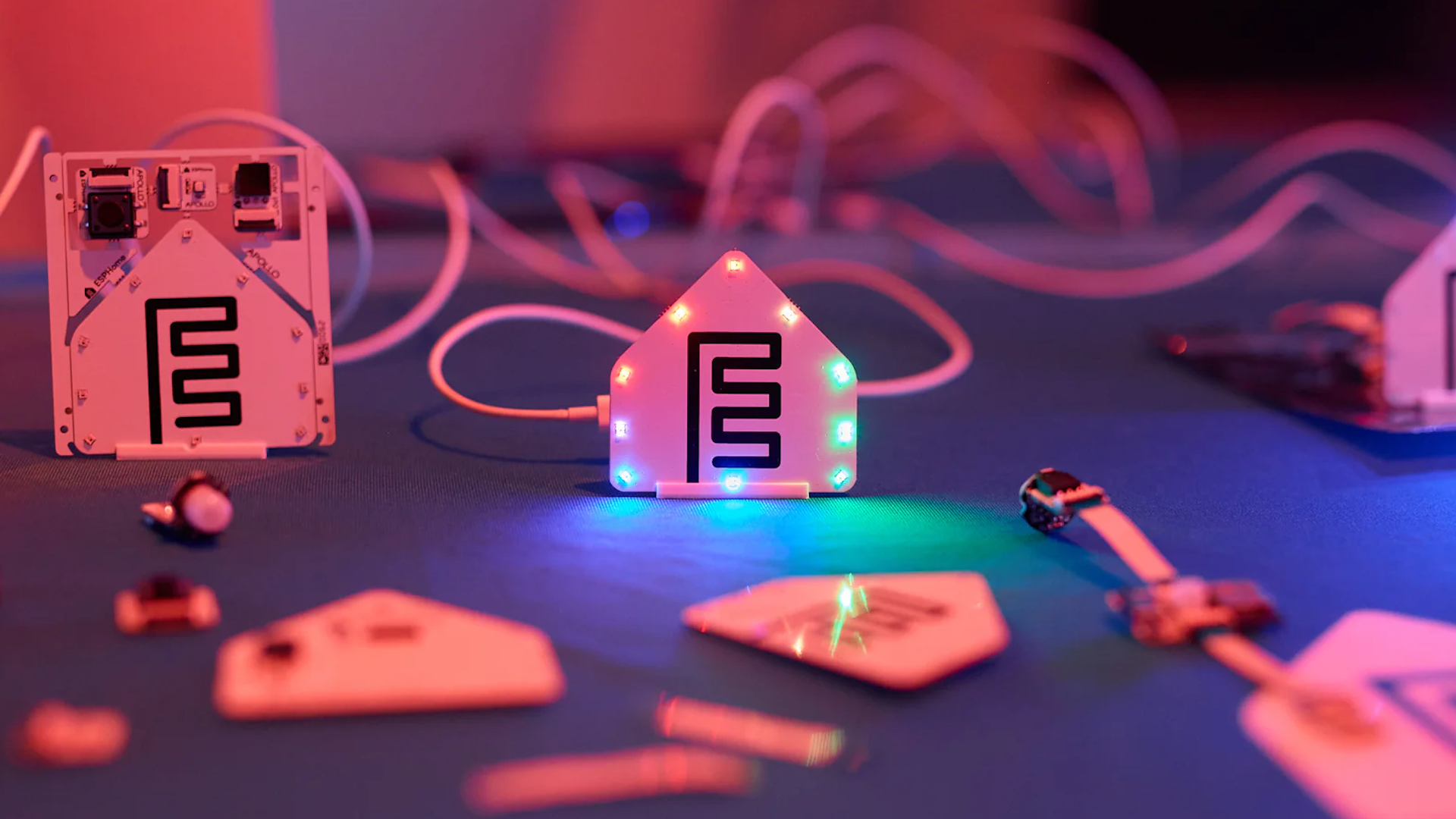
What is ESPHome?
At its core, ESPHome is a framework designed to simplify the process of creating firmware for microcontrollers. It primarily targets popular, low-cost boards like the ESP32, ESP8266, and RP2040. Instead of forcing you to write complex C++ code, ESPHome lets you define your device’s behavior using simple, human-readable YAML configuration files. These files are then compiled into optimised firmware that can be flashed onto your microcontroller.
Think of it as a translator: you tell it what sensors, lights, switches, or displays you want to use, and ESPHome takes care of all the low-level programming. This approach has made it incredibly accessible even for complete beginners. The framework is also deeply integrated with Home Assistant, the popular open-source home automation platform, meaning devices created with ESPHome can be discovered and controlled automatically.
Why ESPHome is Gaining Popularity
The shift toward ESPHome is not accidental. Several key advantages are driving its adoption among both newcomers and seasoned makers.
Zero-Code Configuration
Perhaps the biggest draw is the ability to get a fully functional smart sensor up and running without writing a single line of code. You only need to know the basics of YAML (which is essentially a data format, not a programming language). For example, to add a DHT22 temperature and humidity sensor, you simply write a few lines describing the sensor and its pin. ESPHome handles the rest.
Seamless Home Assistant Integration
If you run Home Assistant, ESPHome is a natural extension. It uses a native API that automatically registers devices in Home Assistant, so no mucking about with MQTT bridges or manual configuration. This “plug and play” experience is rare in the DIY smart home world.
Over-the-Air (OTA) Updates
Once your ESPHome device is on your network, you can push firmware updates over Wi-Fi. No need to physically connect a USB cable each time you tweak the configuration. This makes iterative development and bug fixing painless.
Vast Component Library
ESPHome supports an extensive list of sensors, actuators, displays, and communication protocols. From temperature and humidity to light sensors, relays, LED strips, and even GPS modules—there’s a good chance the component you need is already built in. The community actively contributes new integrations.
Cost-Effective Hardware
The microcontrollers ESPHome targets are incredibly cheap. An ESP8266 board can cost as little as $2, while an ESP32 with Bluetooth and more power is around $5. This makes it feasible to build whole fleets of sensors without breaking the bank.
Reliability and Performance
Despite its ease of use, the firmware produced by ESPHome is efficient and reliable. It leverages ESP-IDF and Arduino frameworks underneath, ensuring robust operation. Many users report months of uptime on battery-powered sensors.
How to Get Started with ESPHome
Ready to dive in? Here’s a step-by-step guide that will have your first ESPHome device online within an hour.
Step 1: Gather Your Hardware
You’ll need:
- A supported microcontroller: ESP32 or ESP8266 are recommended for beginners (e.g., NodeMCU or Wemos D1 Mini).
- A USB cable to connect it to your computer.
- Optional but helpful: a sensor or actuator you want to test, like an LED or a DHT22.
Step 2: Install ESPHome
The easiest route is using the ESPHome Dashboard, which runs as an add-on inside Home Assistant. If you don’t have Home Assistant, you can install the command-line version via Python:
pip install esphomeAlternatively, use the standalone ESPHome Web installer at web.esphome.io which works directly in your browser (no installation required).
Step 3: Create Your First Configuration
Open the ESPHome Dashboard and click “New Device”. Give it a name (like “living-room-sensor”). The wizard will ask for your Wi-Fi credentials. Then ESPHome generates a base YAML file. Edit it to add components. For a simple onboard LED, add:
output:
  - platform: gpio
    pin: GPIO2
    id: built_in_led
light:
  - platform: binary
    output: built_in_led
    name: "Living Room LED"
No need to understand every line—just copy and adjust pin numbers.
Step 4: Flash the Firmware
Connect your board via USB. In the Dashboard, click “Install” next to your device. You’ll see options to install via USB or over the air. For first-time, choose “Plug into this computer” and follow the prompts. The Dashboard will compile the firmware and flash it automatically.
Step 5: Connect and Test
After flashing, the device will boot, connect to your Wi-Fi, and appear in the ESPHome Dashboard as online. If you’re using Home Assistant, it will show up in the integrations panel under ESPHome. You can now control your light or read sensor data from the Home Assistant interface.
Conclusion
ESPHome represents a paradigm shift in how we create custom smart home hardware. By removing the need for traditional programming, it opens up the world of microcontrollers to anyone willing to experiment. Its tight integration with Home Assistant, support for OTA updates, and huge library of supported components make it the go-to choice for thousands of smart home enthusiasts. Whether you want to monitor your plants, automate your lights, or track your front door’s status, ESPHome gives you the power to build it yourself—quickly, cheaply, and with confidence. So why wait? Grab a $2 board and start your journey today.
Related Articles
- Vacuum Giant Dreame Unveils Modular Smartphone Plans at California Event
- Securing AI Agents in CI/CD: GitHub's Defense-in-Depth Strategy
- 7 Key Insights into NVIDIA and ServiceNow's Autonomous AI Agents for Enterprises
- How to Kickstart Your Personalization Strategy with a Prepersonalization Workshop
- Historic First: Ukraine's Robot-Only Assault and the Billion-Dollar Startup Behind It
- Battlestar Galactica: Scattered Hopes Forces Players to Navigate Cylon Threats and STDs
- GitHub Unveils Defense-in-Depth Security Framework for AI Agents in CI/CD Pipelines
- How to Craft an Optimistic Sci-Fi Anime for 2026: Lessons from Snowball Earth