Rivian’s New Voice Assistant: Your Questions Answered
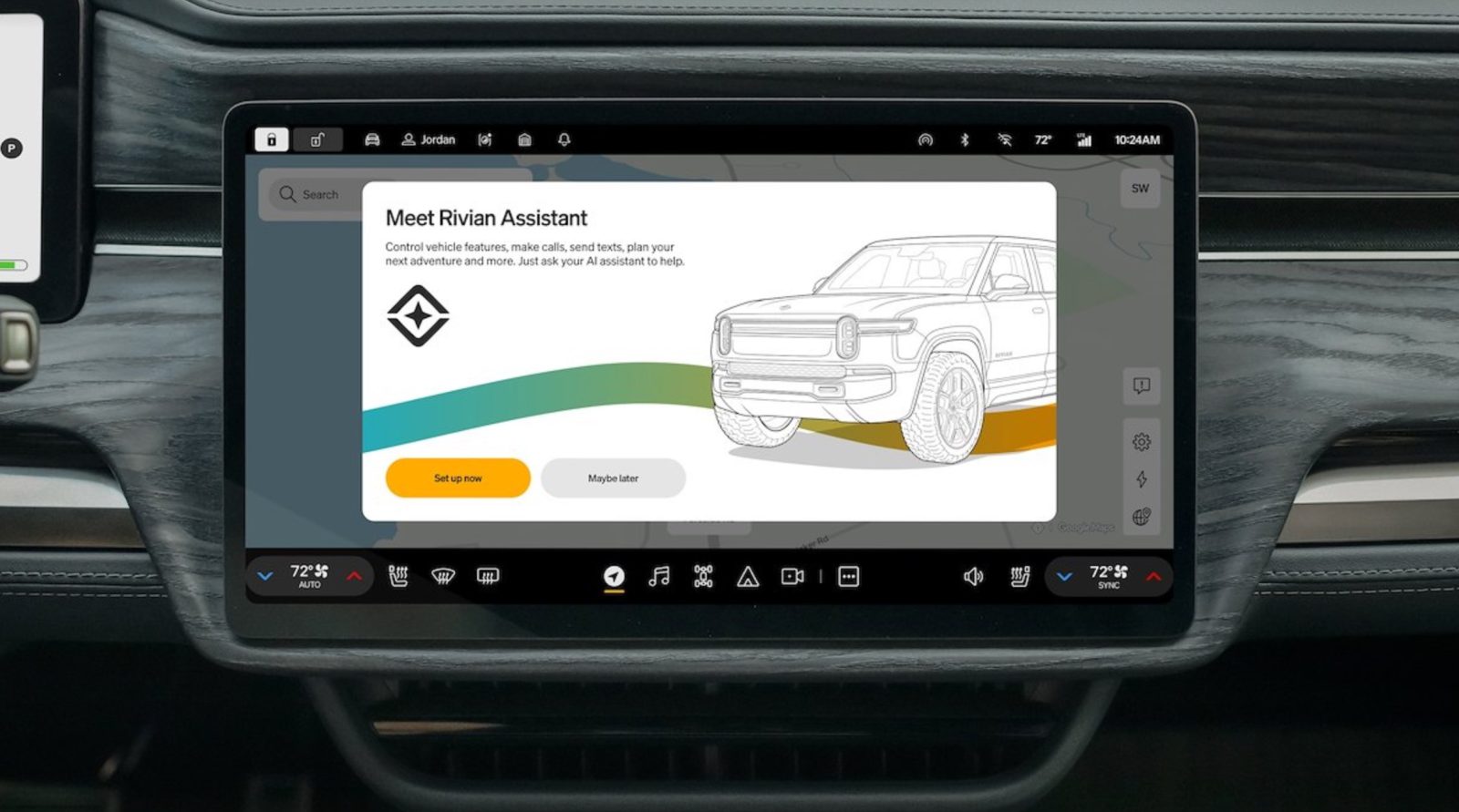
Rivian has begun rolling out a powerful AI-powered voice assistant called "Hey Rivian" to its R1T and R1S owners via the latest over-the-air software update. This assistant stands out because it can directly control key vehicle functions—something even Tesla’s Grok assistant hasn’t fully achieved months after its own debut. Below, we answer the most common questions about this feature.
What exactly is the 'Hey Rivian' assistant?
The 'Hey Rivian' assistant is an AI-driven voice command system integrated into Rivian’s Gen 1 and Gen 2 R1 vehicles. It allows drivers to control core vehicle functions using natural language. For example, you can say "Hey Rivian, adjust the temperature to 72 degrees" or "Hey Rivian, open the frunk." The assistant processes requests locally and in the cloud, offering fast and accurate responses. It’s activated by saying the wake phrase "Hey Rivian" or by pressing and holding the left steering wheel button.
Which Rivian vehicles support the assistant?
The assistant is currently available to all Gen 1 and Gen 2 R1 owners—that includes the R1T pickup and R1S SUV. Rivian has rolled out the feature as part of a free over-the-air software update, so no hardware modifications are needed. Older R1 vehicles that have received the update will work just as smoothly as the newer models. However, Rivian hasn’t yet announced support for other future models, but given the software‑based nature, it’s likely to expand.
How do I activate and use 'Hey Rivian'?
Activation is simple. There are two ways: either say the wake phrase "Hey Rivian" (similar to Amazon Alexa or Google Assistant) or press and hold the button on the left side of the steering wheel. Once activated, you can give commands like "turn on seat heaters" or "navigate to the nearest charging station." The assistant also supports follow‑up questions and multi-step requests, such as "set the climate to 70 degrees and call my wife." Just be aware that an active Connect+ subscription is required for the assistant to work.
What vehicle functions can it actually control?
Unlike many car voice assistants that only handle infotainment or navigation, 'Hey Rivian' can control core vehicle functions. That includes adjusting climate control (temperature, fan speed), opening and closing windows, controlling the sunroof or tonneau cover, locking and unlocking doors, activating the frunk or tailgate, switching drive modes (e.g., Sport or Off‑Road), and even toggling the vehicle’s camping or gear guard modes. Rivian says deeper integrations, like adjusting suspension height and traction control, are on the roadmap.
How does it compare to Tesla’s Grok assistant?
Tesla’s Grok assistant, launched months before, still cannot execute direct vehicle control commands—it primarily handles queries about the car’s status or general knowledge. In contrast, 'Hey Rivian' can perform real actions like opening the windows or changing drive modes. This gives Rivian a significant advantage in practical voice‑controlled usability. While Grok is integrated with Tesla’s large language model, it lacks the permission layer to physically manipulate hardware. Rivian’s approach combines AI with deep vehicle integration, setting a new benchmark for voice assistants in EVs.

Do I need a subscription to use 'Hey Rivian'?
Yes, an active Connect+ subscription is required. Connect+ is Rivian’s premium connectivity package that includes features like satellite maps, streaming media, and cloud‑based voice processing. Without it, the assistant won’t function—even though the software update is free. Rivian offers a trial period for new owners, but after that, the subscription costs a monthly or annual fee. The company hasn’t announced any plans to make the assistant available without Connect+.
When is the rollout happening and how do I get it?
Rivian started rolling out the assistant as part of its latest over‑the‑air software update (version 2025.xx). The rollout is gradual, so not every vehicle receives the update on the same day. Owners will see a notification on the center screen when the update is available. To ensure you get it as soon as possible, make sure the vehicle is connected to Wi‑Fi and has sufficient battery charge. You can also check the mobile app for update status. If you haven’t received it yet, expect it within a few weeks.
What future capabilities are planned for the assistant?
Rivian has hinted at expanding the assistant’s abilities beyond current core functions. Future updates may include controlling suspension settings, activating traction control, managing third-party apps (like Spotify or Netflix), and even using voice to set up charging schedules. There’s also talk of integrating the assistant with Rivian’s Adventure Network to find campsites or plan off‑road trips. Long‑term, the company aims to make 'Hey Rivian' a full‑fledged AI companion that can learn driver preferences and proactively suggest features—similar to an enhanced smart assistant.
Related Articles
- A Comprehensive Guide to Installing Windows 11 KB5083631: New Features and Fixes
- Unified API and AI Governance: Microsoft Recognized as Leader in IDC MarketScape
- 5 Essential Insights into Swift System Metrics 1.0 for Process Monitoring
- Microsoft Rushes Out Critical Patch for ASP.NET Zero-Day Allowing Full System Takeover on Linux and macOS
- Safari Technology Preview 242: Major CSS and HTML Enhancements
- Crypto Market Digest: Bitcoin Holds Steady at $87K, Altcoins Fluctuate as The White Whale Surges 15x in a Week
- Unlock the Power of Simulation: 5 Key Ways HASH Transforms Complex Problem Solving
- Ubuntu 26.04 LTS 'Resolute Raccoon' Goes Live: A Two-Year Leap in Performance and Security